Add us to your Google profile.
Make Wondaur a manager on your Google Business Profile, so we can keep your listing up to date for you. You never share your password, and you stay the owner. It takes about two minutes.
Before you start
- Use a computer. It works on a phone too, but the steps are easiest to follow on a bigger screen.
- Sign in to Google with the account that owns your Business Profile. Only an owner can add people.
- The email to add is hi@wondaur.com.
Find your business on Google
On a computer, go to google.com and search for your business name. Make sure you’re signed in with the Google account that owns your Business Profile. A box called Your business on Google shows at the top. Select the three dots at its top right.
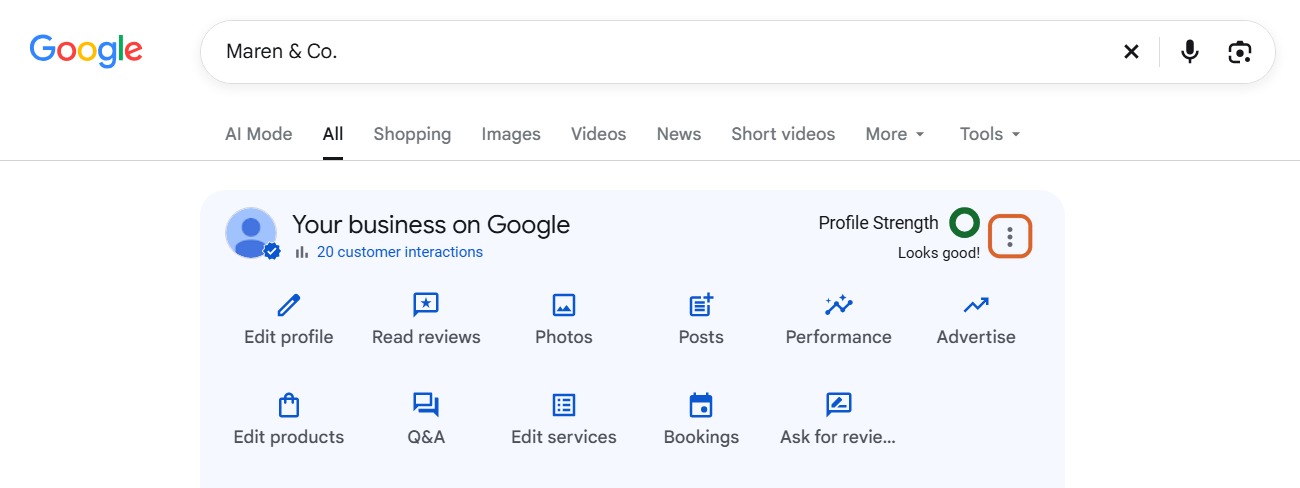
Open Business Profile settings
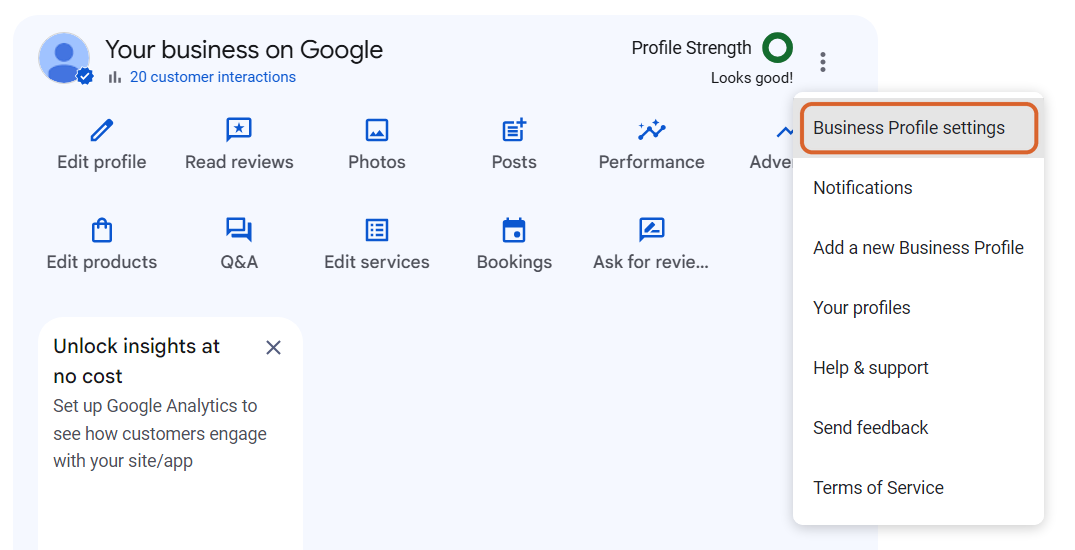
In the menu that opens, select Business Profile settings.
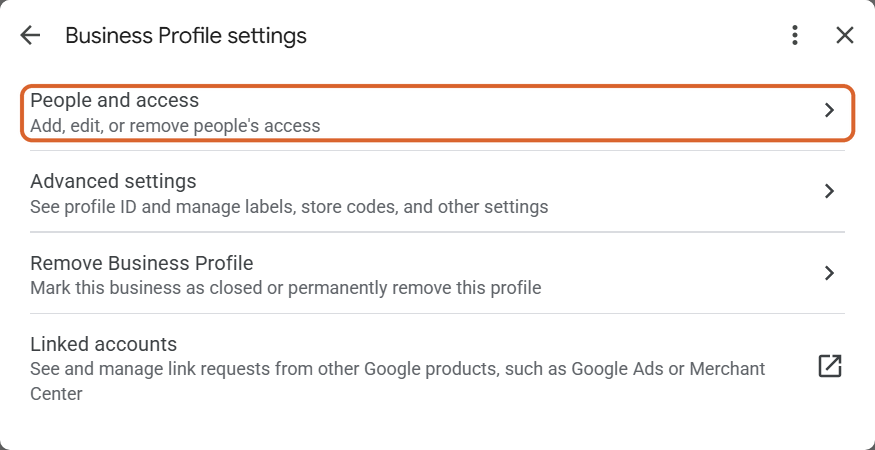
Select People and access
Select People and access, the first line.
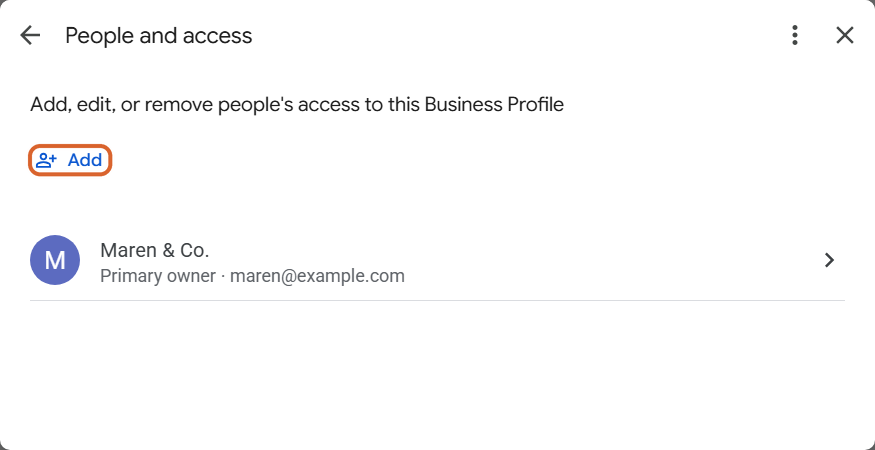
Select Add
You’ll see yourself listed as the owner. At the top left, select Add.
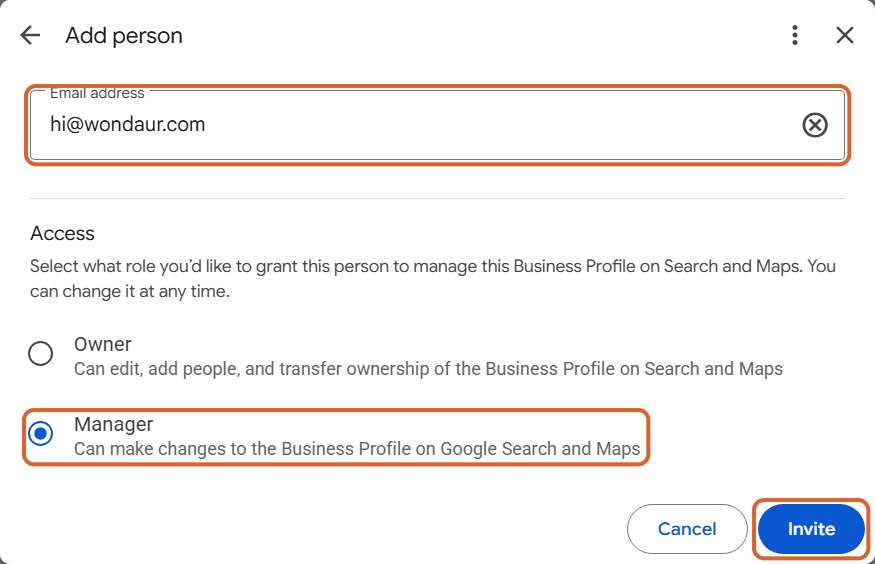
Type our email, choose Manager, then Invite
In Email address, type hi@wondaur.com. Under Access, choose Manager (it’s usually chosen already). Then select Invite.
That’s it. What happens next
Google emails us the invite and we accept it, usually within one business day. Google then emails you to say we’ve joined. Until we accept, you’ll see us under Pending on the same People and access page.
As a manager we can update your hours, photos, services and posts and reply to reviews. We can’t remove you, add other people or delete your profile. To take our access away at any time, go back to People and access, select us and remove us.
If something doesn’t match
- You don’t see “Your business on Google”. You may be signed in with a different Google account. Check the picture at the top right of Google and switch accounts, or go to business.google.com and open your profile from there.
- There’s no People and access, or no Add button. Your account is a manager, not an owner. Ask the owner to follow these steps, or to make you an owner first.
- Your profile isn’t verified yet. Google may not let you add people until it is. Tell us and we’ll help you finish verifying.
- Google’s screens look a little different. Google changes its screens from time to time. The words stay the same: three dots, Business Profile settings, People and access, Add.
Stuck on a step? Email hi@wondaur.com or send us a message from your dashboard, and we’ll walk you through it.

Stuck on a step? Ask us.
A real person reads every message and writes back.